How it works
- Each task belongs to a period:
dailyorweekly(they rotate on a calendar), orevent(they only run as a community event). - When a period starts, the mod picks a number of tasks from the pool of loaded tasks of that period (weighted by each task’s
weight). Every player gets the same tasks for that period. - A task has a trigger: the kind of Cobblemon event it counts, plus optional filters. Each matching event adds 1 to the player’s progress until the
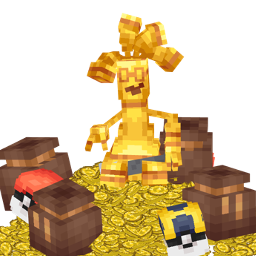
goalis reached. - Right-clicking the Task Projector opens the task screen. The projector also shows the tasks as a hologram; a redstone signal (a lever, for example) switches the hologram off while it is powered.
- Finished tasks are claimed from the screen. Claiming also pays milestones and keeps your streak going.
- Players can reroll tasks they don’t like, a limited number of times per day or week (
daily_rerolls/weekly_rerolls).
The task screen
Section titled “The task screen”Right-click a Task Projector to open it. It uses Cobblemon’s own Pokédex textures and font.
- The arrows at the top switch between Daily, Weekly and, while there is one, Event. It shows the time left, how many tasks you have claimed and your streak.
- Each row shows the task name (long names wrap to two lines, and the full name is in the tooltip when hovering), a progress bar, the reward, and its state: progress,
READY,CLAIMEDorLOCKED. - The Claim button pays every finished task at once, events included.
- The swap button on a row rerolls that task. It asks for a second click within 3 seconds to confirm. Finished, claimed and shared tasks cannot be rerolled, and the Event tab has no rerolls.
- Claiming and rerolling only work within 10 blocks of the projector you used, so they cannot be triggered from anywhere.
/cobbletasks rerolldoes the same as the button.